Review Comments (0) Screenshots (6) Questions & Answers (0) Votes (29) Awards (3) Wiki  
(29)
ArcSoft Inc.
5.2.1.119
www.arcsoft.com
Shareware
$99.99  Purchase
6 572 people
Download ArcSoft TotalMedia...

65.91 MBDownloaded 1895 times

This software was checked for viruses Yesterday, 4:22 AM and was found to contain no viruses.
Click here to see antivirus report.
 

Review

This is official description

TotalMedia Theatre 5 is your all-in-one media player for PCs. Whether playing Blu-ray and DVD discs, AVCHD, or high-definition files on local machines or videos on a UPnP server and online, the program has it covered. With an intuitive and innovative user interface design, excellent playback quality and performance,TotalMedia Theatre 5 brings the premium movie experience to you.
 
The following review written by one of the Software Informer contributors applies to version 3.0

ArcSoft TotalMedia Theatre is a Windows application designed to play DVD, Blu-ray and high-definition multimedia files. It practically converts your computer into a high definition home theatre with superb audio decoding and 2D/3D simulation capabilities.

The program is available in three different versions (Gold, Platinum, Standard), where the differences mainly reside in security, region decoding and video format support. It fully integrates with Windows Media Center, providing compatibility with the remote control.

TotalMedia Theatre plays CDs, VCDs, DVDs as well as WMV, Quicktime, DivX, and H.264 supporting both 1280x720 (720p) and 1920x1080 (1080p). It supports next-generation audio formats LPCM, AC-3, DD+, and MLP. It also supports Dolby Surround, Digital 5.1 (AC-3), and DTS Surround.

In this version you will find playback of Blu-ray interactive feature support, including BD Profile, Bonus View and BD-Live, direct playback from high-definition cameras and an enhanced integration to high hardware acceleration with NVIDIA CUDA and ATI Stream without losing output quality.

Addtionally, in this version you will find the Sim3D function. This delivers a 3D viewing experience to movies (including DVDs), supporting stereoscopic 3D. Sim3D is provided as a plug-in.
  • HD video.
  • Multiformat support.
  • HD camcorder support.
  • 3D/2D Simulation.
  • Hardware acceleration.
  • Excellent sound.
  • None found.

Reviewed by: Max Santillana

Reviewer rating:

Reviewed: Last year

What's new in version 5.2

What's new in TotalMedia Theatre 5?
Advanced SimHD brings DVD video resolution to high definition
Play any 3D and 2D videos and photos in 3D style
Magic View provides an elegant way to browse your media
Smart Menu for easy chapter searching and online information

What's new in version 5.0

Play any 3D and 2D videos and photos
in 3D style
TotalMedia Theatre gives you all you need to enjoy 3D movies. Beyond that, it allows viewing standard 2D photo slideshows and DVD movies in 3D with Sim3D. Various 3D encoding formats and 3D TV display formats are supported. Typically complex 3D setup is automated and simplified so you can enjoy your 3D movies without hassle.
Smart Menu for easy chapter searching and online information
TotalMedia Theatre’s unique Smart Menu automatically creates a popup menu similar to Blu-ray menus for DVD or video based content. Access movie info, chapters, and bookmarks or change audio and subtitle tracks all without ever needing to interrupt playback of the movie.
Magic View allows you to browse media files faster and thumbnails can be arranged in different sizes, viewing more at one glance.

What's new in version 3.0

Find playback of Blu-ray interactive feature support, including BD Profile, Bonus View and BD-Live, direct playback from high-definition cameras and an enhanced integration to high hardware acceleration with NVIDIA CUDA and ATI Stream without losing output quality.

Additionally, in this version you will find the Sim3D function. This delivers a 3D viewing experience to movies (including DVDs), supporting stereoscopic 3D. Sim3D is provided as a plug-in.
Report a wrong version Report a wrong program title Suggest a correction

Screenshots

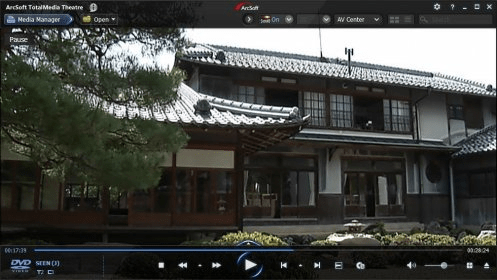
Main window Main window Main window Main window Main interface Main interface Region settings Region settings
All 6 screenshots

Latest comments


There are no comments, be the first one!
Add new comment

E-mail Address:

Password:

Register now »

Forgot password?

Sign in with:
.ifo IFO File
Download Software Informer Client
Copyright © 2012, Informer Technologies, Inc. About| Privacy and terms| Help| Feedback & Support| Partners program